00 / before you start
You need two accounts.
- A Trackup account — the email and password you use in the app.
- A Claude account — the free plan works. Free allows one custom connector, so Trackup can be it.
- Your phone or computer. Both work. Add it once and it's there on every device.
And this address. It's the only thing you'll paste:
https://trackup-de9a2.web.app/mcp
01 / add the connector
Add Trackup as a custom connector.
- In Claude, open Settings → Connectors.
- Click + Add, then Add custom connector.
- Name it Trackup. Paste the address above into the URL field. Click Continue.
- Claude detects that Trackup needs you to sign in. Leave it on Sign in now, click Continue, then Add.
02 / sign in
Sign in with your Trackup account.
After you click Add, a Trackup page opens. Use the same email and password as the app, then hit Authorize Claude. You'll land back in Claude, and Trackup shows as connected.

03 / start talking
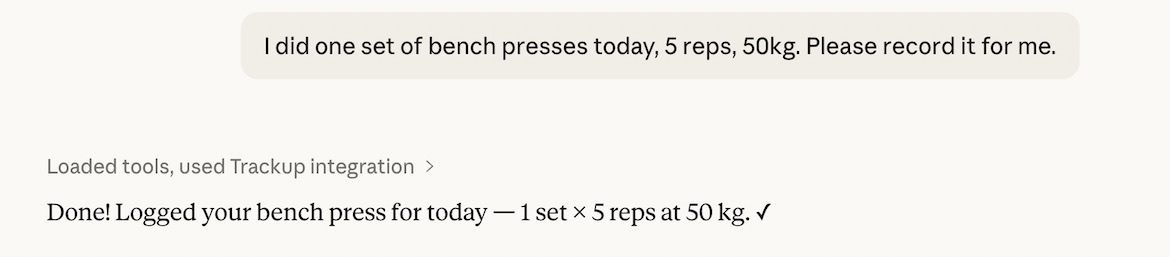
Turn it on, then just say what you did.
In a chat, tap + → Connectors and make sure Trackup is switched on. Works the same on your phone. Then talk like you'd text a friend who's spotting you:
"Bench press today, 50kg, 3 sets of 8."
"今天深蹲 60 公斤 5 组 5 个"
"What's my best deadlift?"
"Show my lat pulldown progress this year."
"Make a Push Day routine: bench, incline dumbbell press, dips."
04 / if it doesn't work
If it doesn't work.
- "Incorrect email or password."
- Use exactly what you sign in to the app with. If you've forgotten it, reset it in the app first.
- I can't add another custom connector.
- The free plan allows one. Remove the old one under Settings → Connectors, or upgrade.
- Trackup doesn't show up on my phone.
- Fully close and reopen the Claude app, then check that it's switched on under + → Connectors.
- Claude answers but doesn't log anything.
- Trackup is probably switched off for that chat. Turn it on and ask again.
- How do I disconnect?
- Remove Trackup under Settings → Connectors. Your workouts stay in the app.
Stuck on a step that isn't here? Email me and I'll add it.